
How to view LLM bot usage statistics
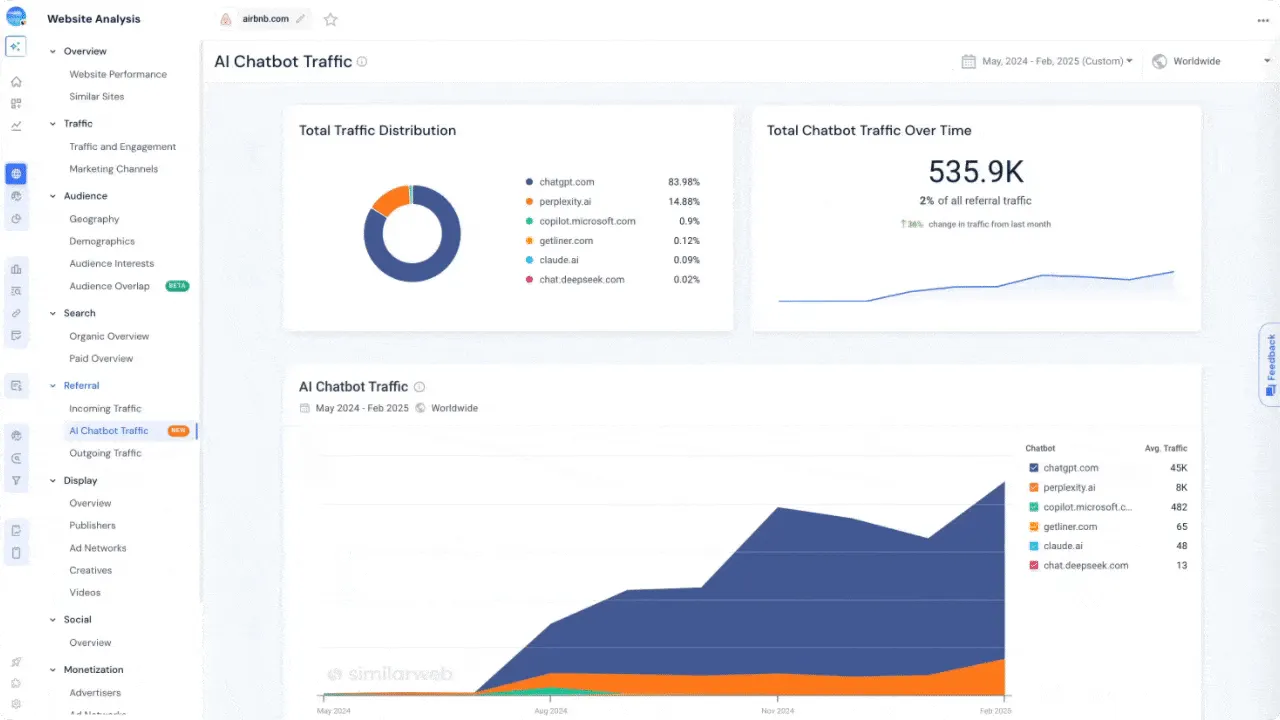
AI platforms interact with websites in two distinct ways:
- Automated crawlers generate bot requests that do not execute JavaScript and are only reliably visible in network-level tools. Only Cloudflare can show you insights about them.
- Human users querying a site through AI chat interfaces generate referral sessions, which are visible in analytics platforms but are not classified as bots.
Before analysing the data, identify who in your company uses a traffic analytics platform and which platform they use (this may be someone in the tech team, sales or marketing). Then follow the steps below that match your setup.
Table of Contents
Cloudflare (AI Crawlers)
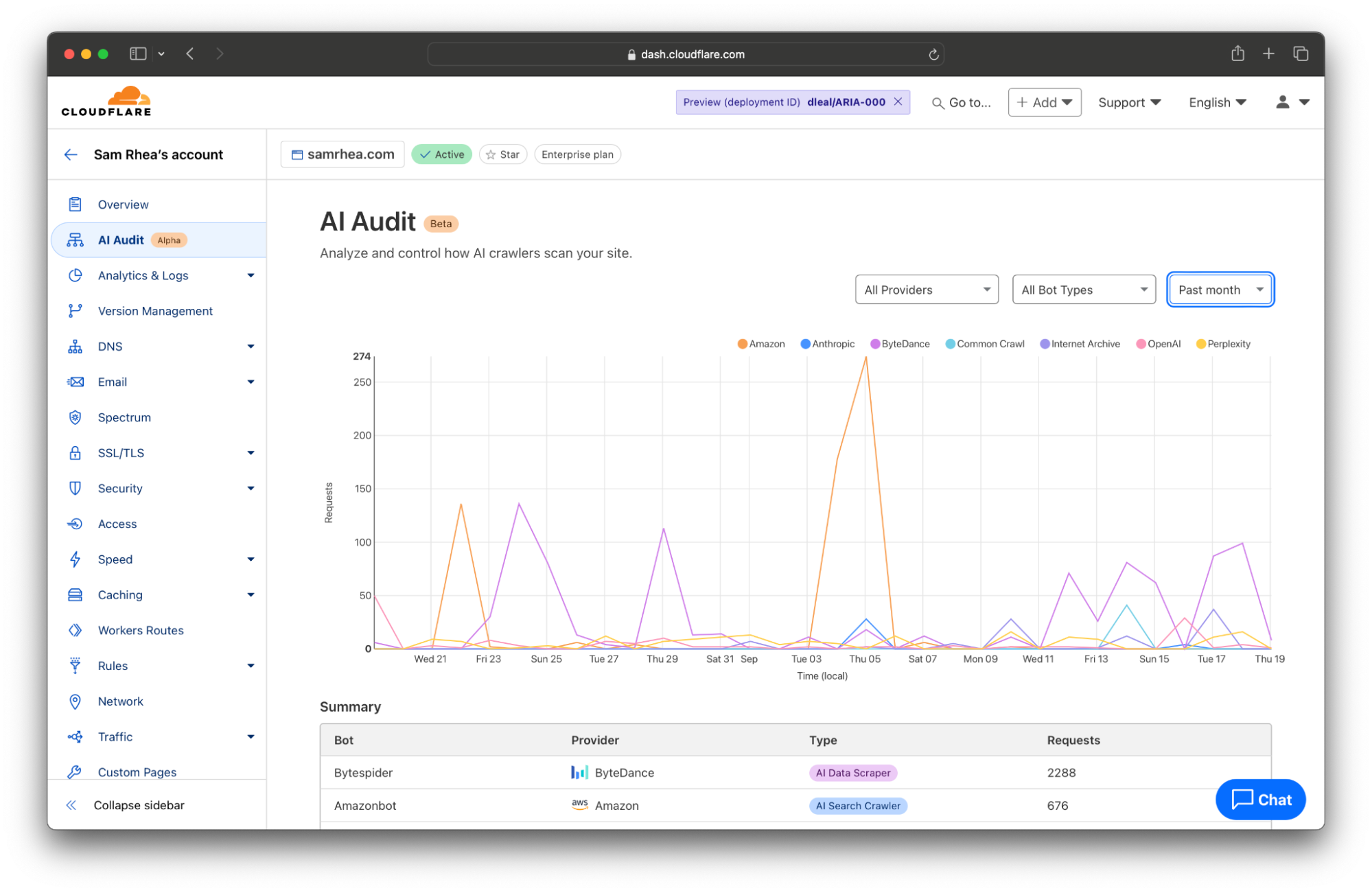
Cloudflare AI Crawl Control shows only automated AI crawlers (network-level requests, no JavaScript, classified as bots)
- Open the Cloudflare dashboard and select your account and domain. Confirm the domain status is Active.
- In the sidebar, click AI Crawl Control.
- In the Overview tab, review total AI crawler requests, request trends, common response status codes, most crawled paths, and top crawler providers.
- Switch to the Crawlers tab to view request volume per AI crawler provider and manage access rules if needed.
- Open the Metrics tab to analyze successful requests over time, status code distribution (2xx, 3xx, 4xx, 5xx), most crawled content paths, referrer discovery patterns (paid plans), and grouping options by crawler, operator, host, or category.
Google Analytics
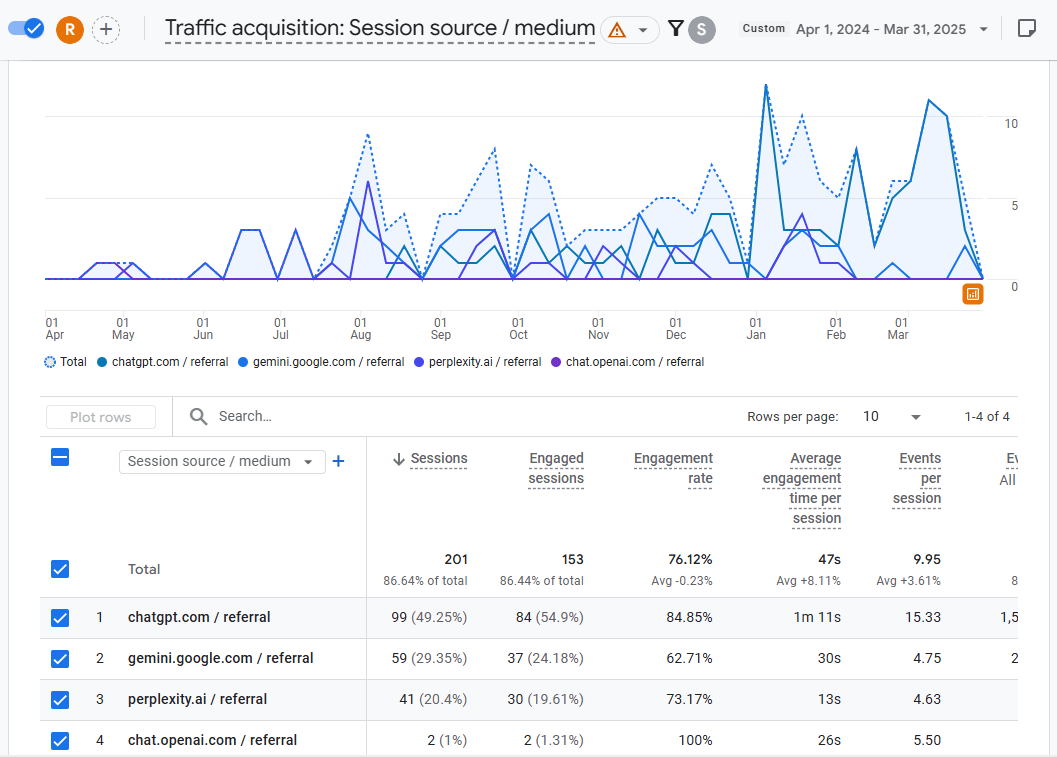
GA4 shows only human traffic from LLMs. Reports reflect real human visits that originated from AI chat interfaces, not automated crawlers.
- Open Google Analytics 4 dashboard and select your account and property.
- Open Reports → Acquisition → Traffic or User acquisition.
- Set the table dimension to Session source or Session source/medium.
- Filter the table by searching AI referral domains: chatgpt.com, claude.ai, gemini.google.com, perplexity.ai, copilot.microsoft.com, etc.
Semrush
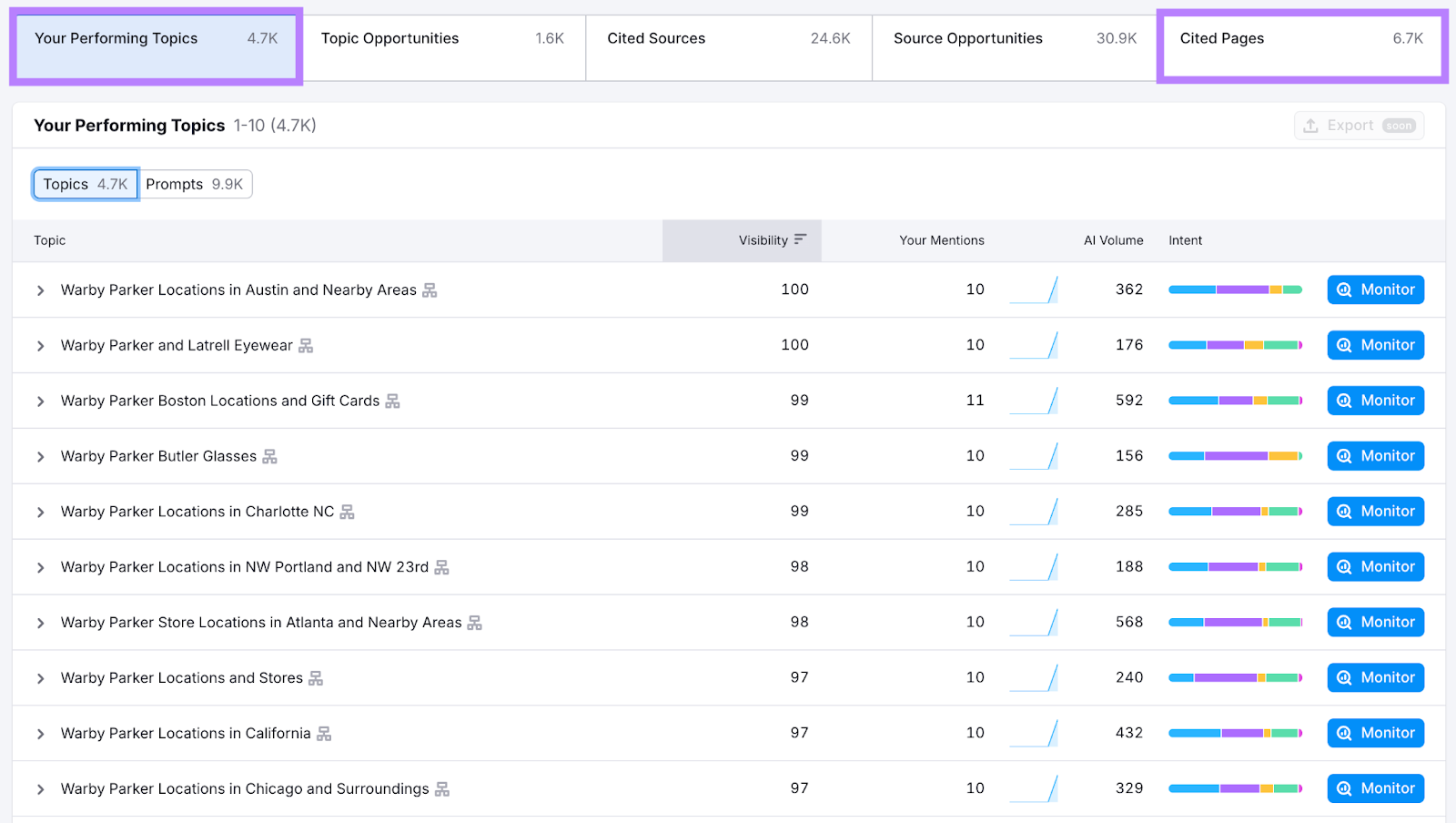
Semrush shows only human traffic from LLMs. Reports reflect real human visits that originated from AI chat interfaces, not automated crawlers.
- Open AI Visibility Toolkit in Semrush.
- Select Visibility Overview. Enter your domain and run analysis.
- Check metrics: AI Visibility Score, Monthly Audience, Mentions, Cited Pages.
- Open Topic Opportunities and Source Opportunities to find competitor gaps.
- Use Prompt Tracking to monitor visibility change over time (if available in your plan)
Ahrefs
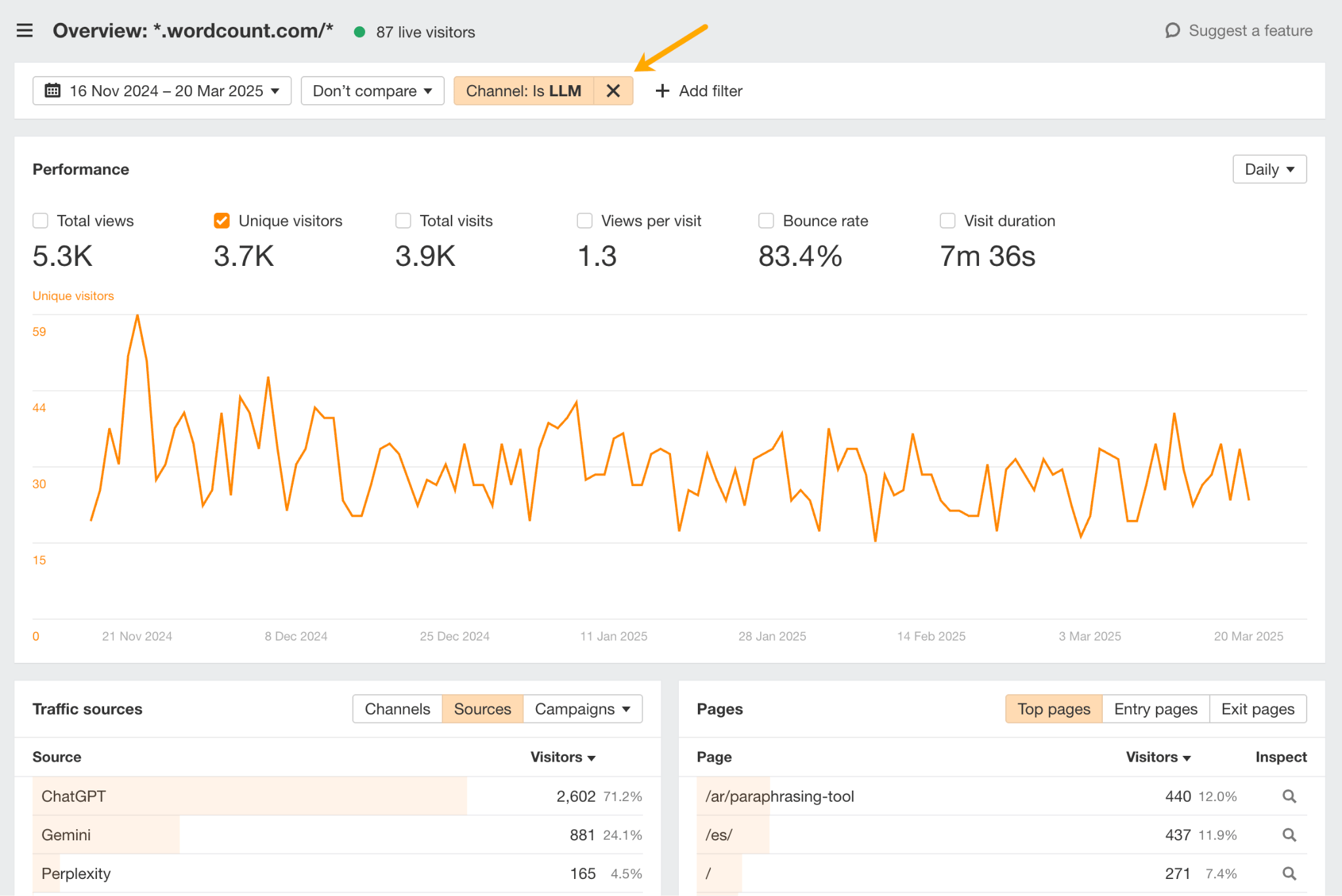
Ahrefs shows only human traffic from LLMs. Reports reflect real human visits that originated from AI chat interfaces, not automated crawlers.
- Open Ahrefs Web Analytics → Overview.
- In Traffic sources, switch to Channels and select LLM (AI).
- Click View more to compare AI traffic with other channels.
- Go to Traffic sources → Sources to see which AI tools drive traffic.
- Review engagement metrics and traffic trends for AI visits.
- Export or share the AI traffic report if needed.
SimilarWeb
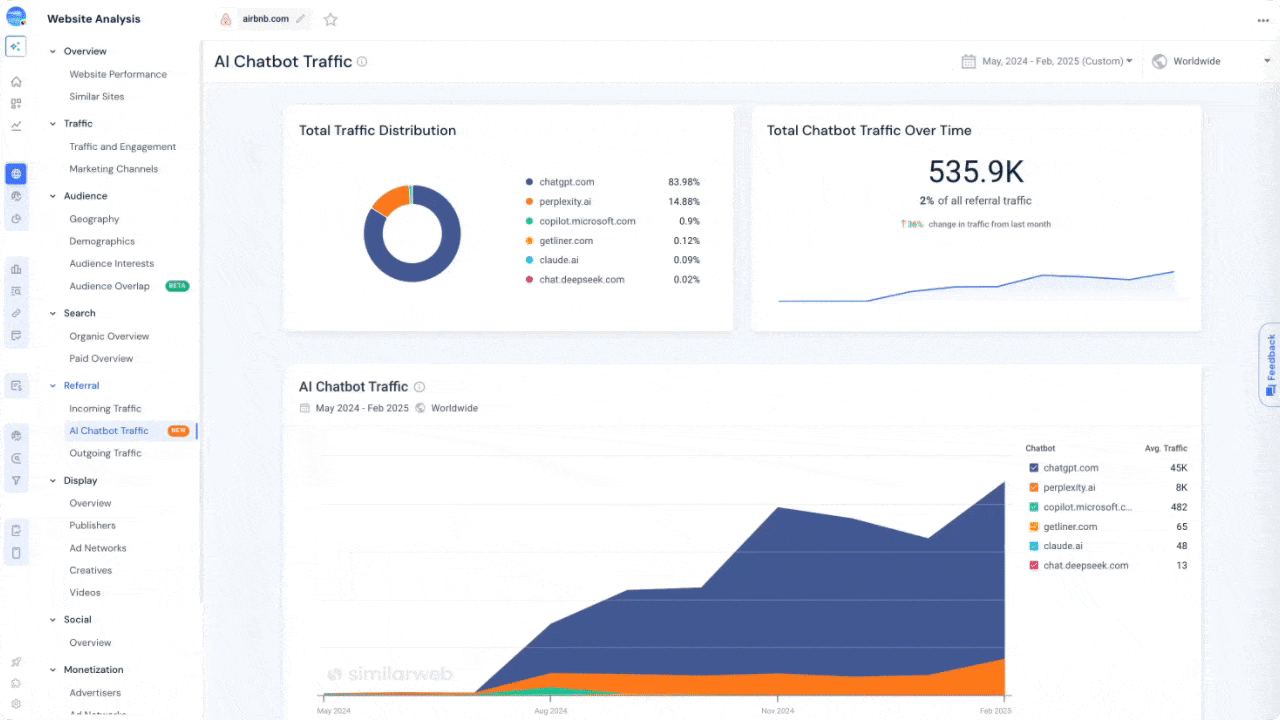
SimilarWeb shows only human traffic from LLMs. Reports reflect real human visits that originated from AI chat interfaces, not automated crawlers.
- Open Similarweb and enter your website domain.
- Go to Website Performance → Referrals.
- Apply the Traffic Source Group filter.
- Select AI Chatbot Referrals.
- Review traffic volume, engagement metrics, and trends from AI chatbots.
- Open Top Landing Pages from Chatbots to see which pages receive AI-driven visits.